The platform by Data Reply
Metabasis
The AI data development lifecycle in one workspace: discover, assess, design, build, validate and operate, with agents doing the work and your team approving it.
Or book a 30-minute walkthroughWhat is inside
Twelve working areas, grouped by the stage of the lifecycle they serve.
1. Discover
Ingestion and discovery
Read-only connectors, schema discovery, files and buckets
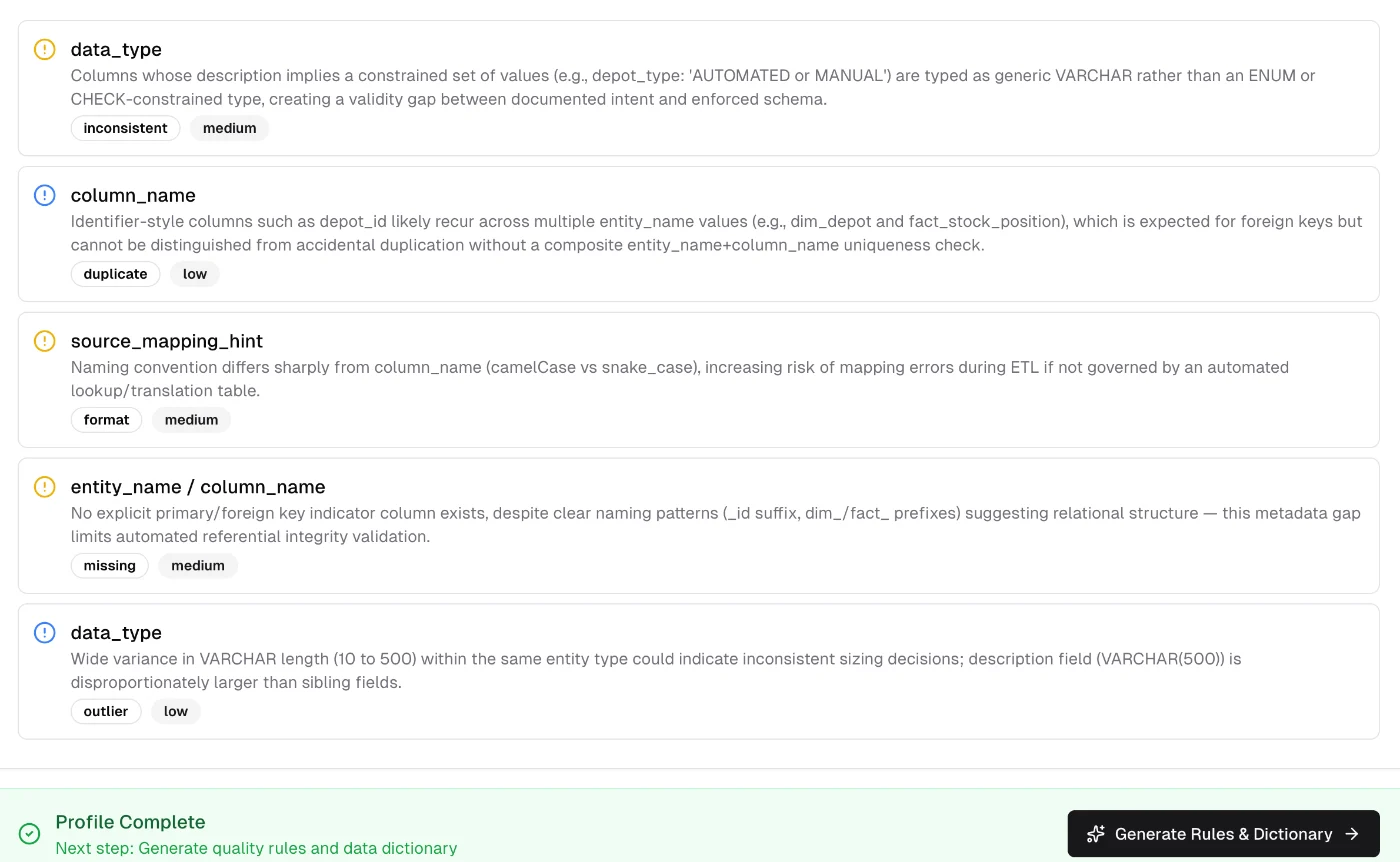
Datasets and profiling
Column profiles and the issues they reveal
2. Assess
Readiness assessments
Scored, evidenced, with ROI per use case
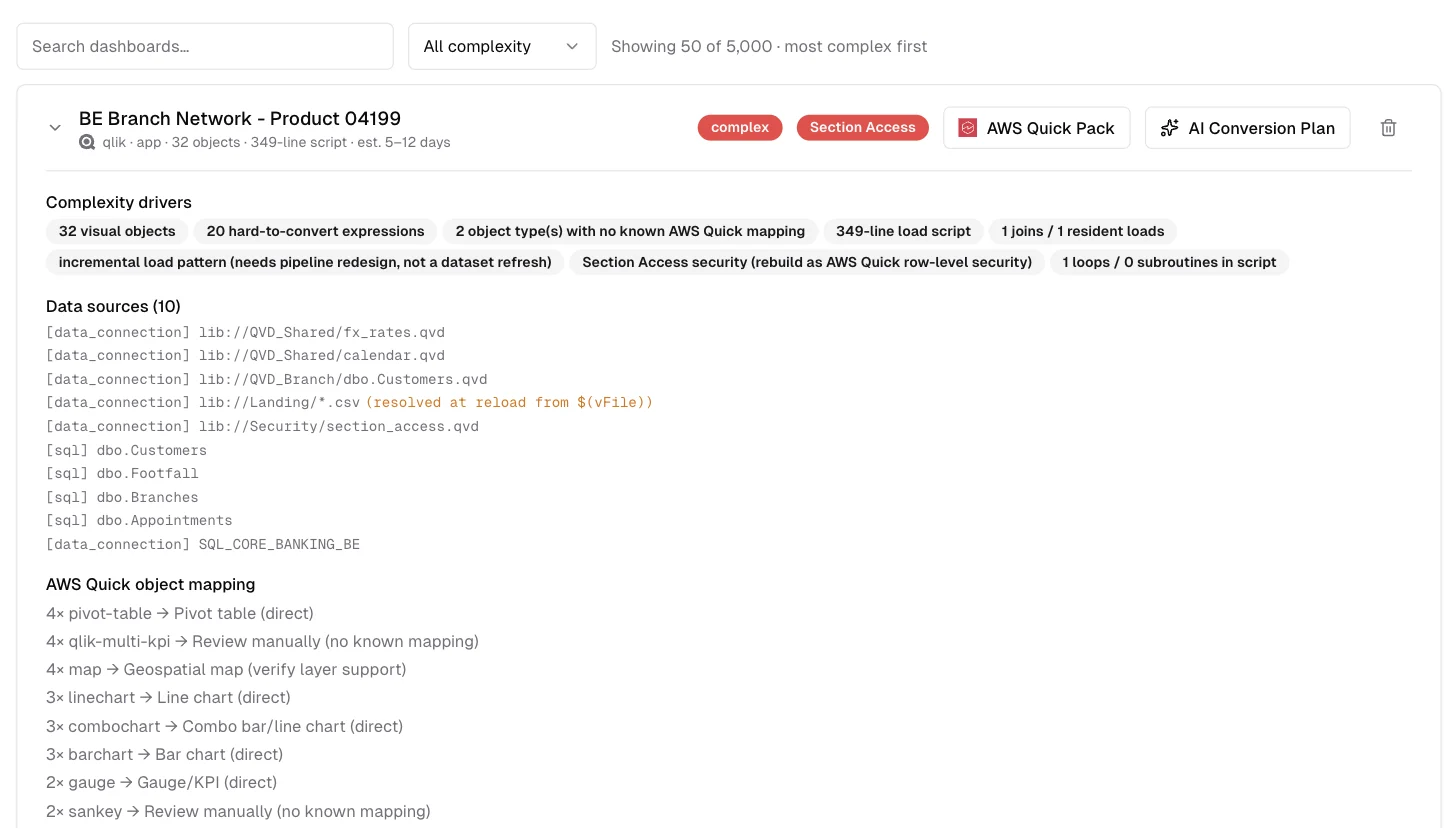
BI migration inventory
Every Qlik and MicroStrategy asset triaged
3. Design
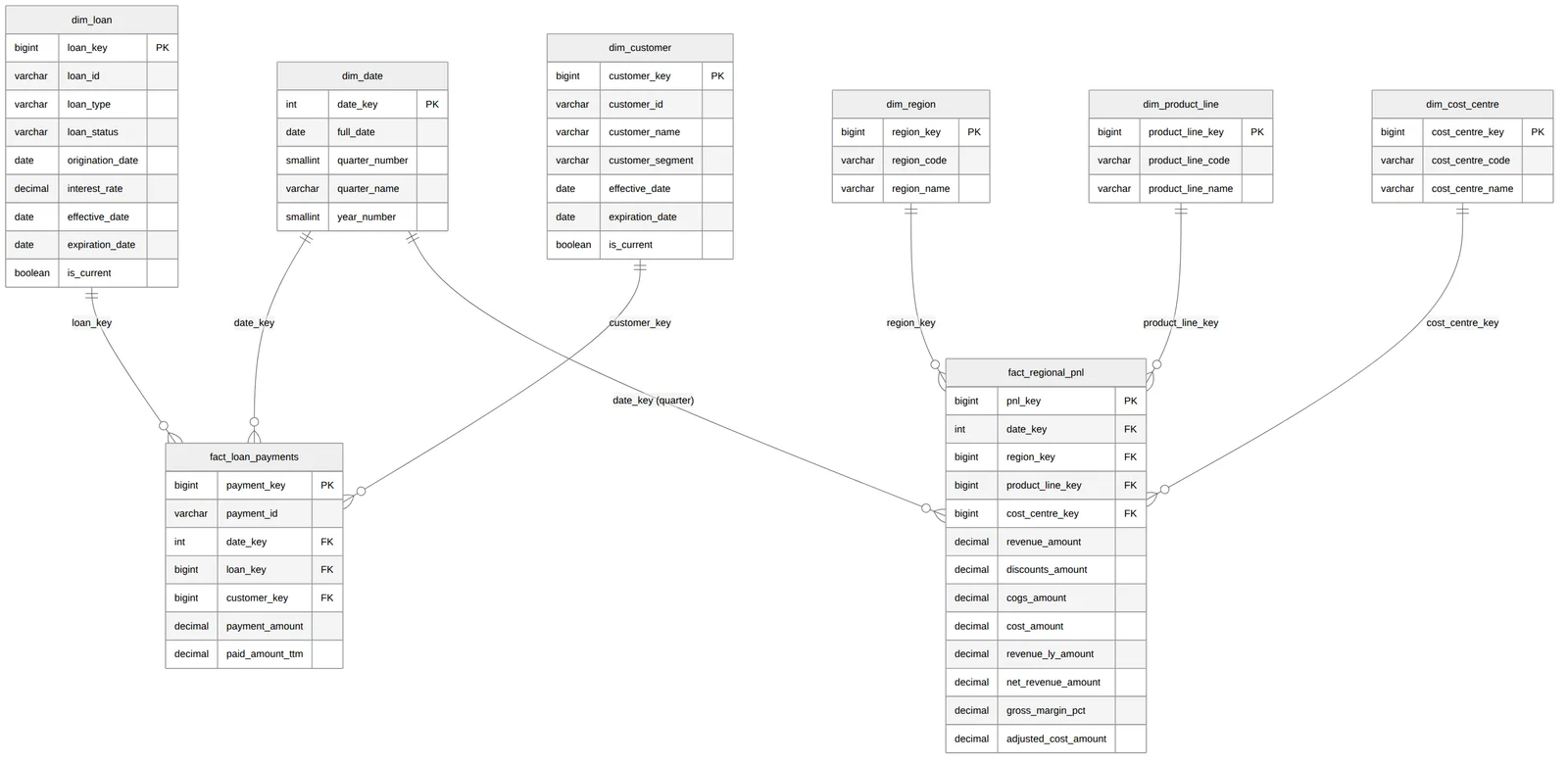
Modelling
Dimensional, Data Vault and gold-layer models with DDL
Mapping and contracts
Source-to-target mappings and data contracts
4. Build
Pipeline
Code per medallion layer for your target platform
Conversion
Legacy SQL, SAS and .NET to the target dialect
5. Validate
Data quality
Rules, validation runs and run comparison
Testing and reconciliation
Migrated numbers checked against the source
6. Operate
Lineage and observability
From code and BI scripts, with run health
Governance and audit
Roles, policies and every change recorded
See it working
Real screens, on a synthetic 5,000-app Qlik estate and a sample project.
The 4-minute demo: profiling, quality rules, validation and modelling on a sample project.
Architecture
Deterministic code for the facts, reviewable agents for the judgement, and outputs in open formats for the platforms you already run.
Works with
Reads from
- PostgreSQL
- MySQL
 SQL Server
- Snowflake
- Databricks
 Google BigQuery
 Amazon S3
 Azure Blob Storage
 Google Cloud Storage
Migrates BI from
- Qlik
- MicroStrategy
Builds and delivers to
- Snowflake
- Databricks
 Amazon Redshift
 Azure Synapse
 Amazon Quick
Security and access
Hosting and data residency are agreed per engagement.
Roles per project
Owner, admin, member and viewer, plus a client role limited to answering assessments.
Read-only by default
Connectors only read. Uploads go to project-scoped storage behind signed links.
Your choice of model
Claude by default; a project can use its own endpoint, such as Azure OpenAI.
Audit log
Decisions and changes are logged per project for owners and admins.
Ready when you are
Sign in, create an account, or let us show you Metabasis on your own problem.